Budgets that repeat
Plan the month by category, apply the budget to every month, and be warned before you overspend.
Download, it’s free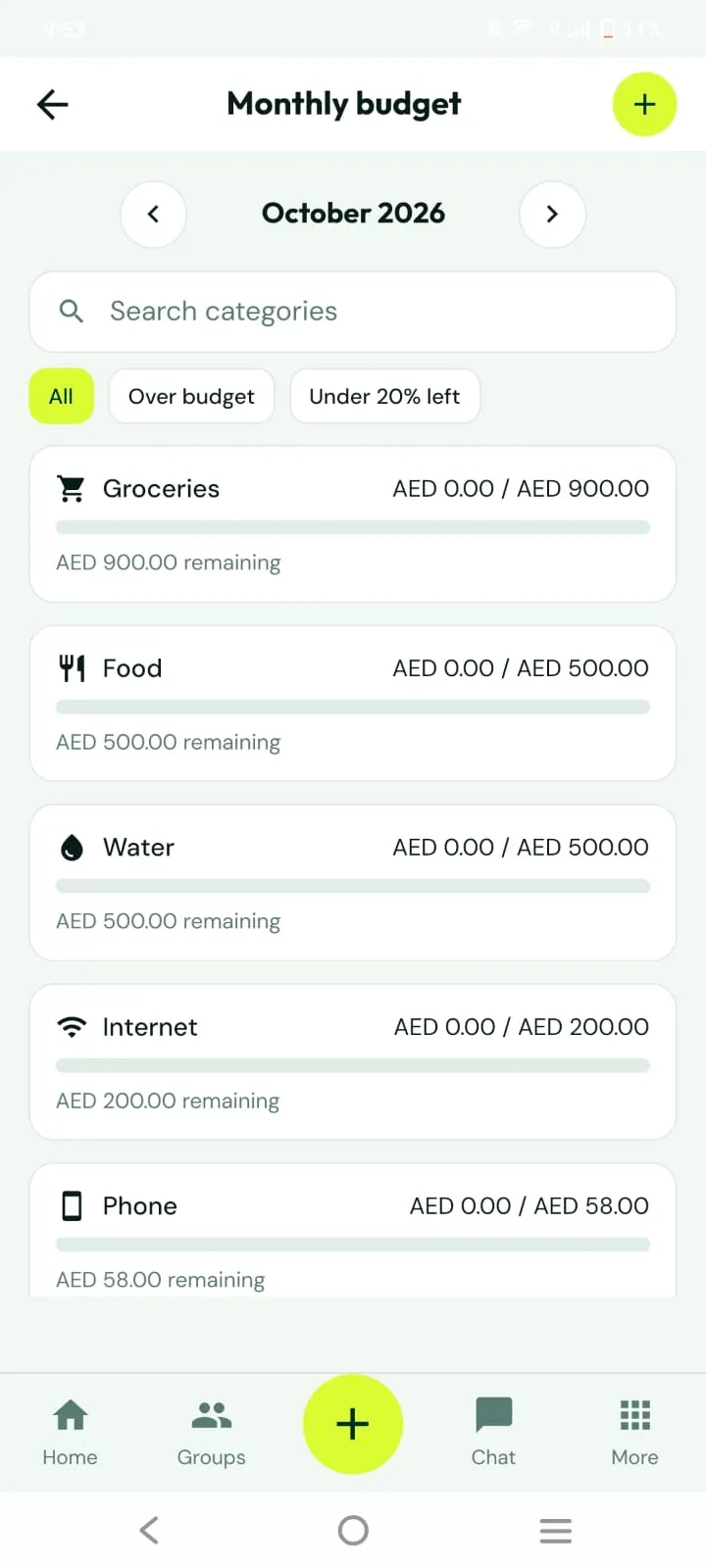
What you can do
Overall amount, category lines, or both
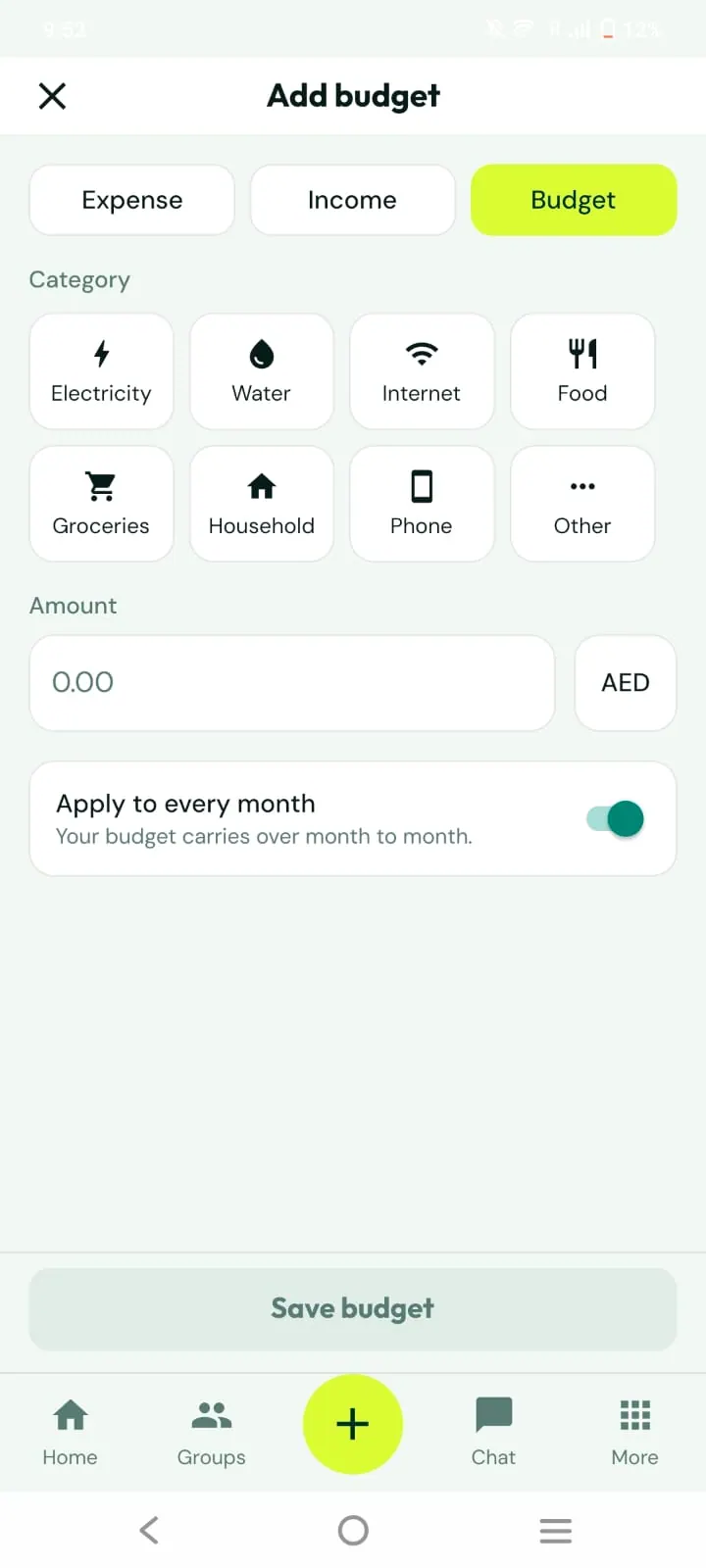
Apply to every month so it repeats automatically
Rollover of unused money with an optional cap
Warning at a percentage you choose (80% by default)
Filters for over budget and under 20% left
How it works
1
Pick categories
Choose where you want limits.
2
Set amounts
Turn on Apply to every month to make it recurring.
3
Track progress
See spent and remaining per category in the monthly view.
Good to know
Only approved expenses count toward budgets.
You can run a personal budget and group budgets separately.